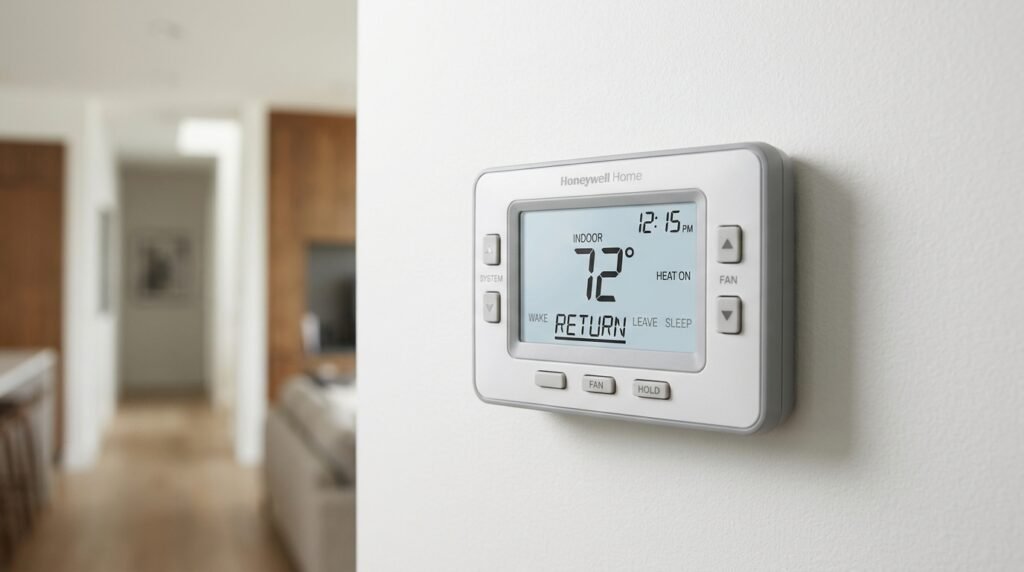
If you see the word Return on your Honeywell thermostat, it usually refers to a programmed schedule period. It represents the time when you expect to come home and want your house to reach a comfortable temperature. During this period, the thermostat follows the heating or cooling temperature you selected for your evening routine. It is one of four common schedule periods: Wake, Leave, Return, and Sleep. The exact labels and programming options can vary by thermostat model. On many older Honeywell programmable thermostats, Return does not mean the thermostat is returning to its previous setting or reporting a fault. It is simply a name for a scheduled part of the day. Understanding this setting can help you control indoor comfort, avoid unwanted temperature changes, and make better use of your thermostat’s schedule. This article explains what Return means, how it works, how to adjust it, and what to check if your Honeywell thermostat does not behave as expected.
What Does Return Mean on Honeywell Thermostat?
The word Return usually identifies the scheduled time when you arrive home after being away. Your thermostat uses the temperature assigned to this period until the next scheduled period begins, which is commonly Sleep. For example, you might set Return for 5:30 p.m. and choose a comfortable temperature for the evening. At that time, the thermostat changes its target temperature according to your programmed heating or cooling schedule. Honeywell manuals describe Return as the period for the temperature you want during the evening, from your expected arrival home until bedtime. This is why the setting often appears after Leave and before Sleep. The word describes a daily routine, not a special operating mode or an error message. If your thermostat displays Return while showing the schedule, it is generally identifying the active program period. The thermostat may still need time to reach the selected temperature, depending on your heating or cooling system, the indoor temperature, and the conditions outside. The display does not necessarily mean your home has already reached the target temperature. It means the Return schedule period is active or selected. Honeywell’s RTH2310 and RTH2410/RTH2510 documentation uses this four-period structure, although the available schedule options differ by model. RTH2310+1
How the Return Period Works
A programmable thermostat divides the day into time periods. Each period tells the thermostat when to use a particular temperature setting. Return normally follows Leave, which is intended for the hours when the home is empty. When the programmed Return start time arrives, the thermostat switches from the away temperature to the temperature selected for your return home. For example, imagine that your weekday schedule uses Leave at 8:00 a.m. and Return at 5:30 p.m. During the day, the thermostat follows the Leave temperature. At 5:30 p.m., it begins following the Return temperature. If you selected a heating setpoint of 70°F, the thermostat will use that target in Heat mode. If you selected a cooling setpoint of 76°F, it will use that target in Cool mode. These figures are examples, not recommended settings for every home. The thermostat does not know your actual arrival time unless a compatible connected feature provides that information. On a traditional programmable model, it follows the time you entered. If your routine changes, you may need to adjust the schedule. The Return period continues until the next programmed period begins, usually Sleep. This automatic change is the main reason a thermostat can appear to change temperature without anyone touching its buttons.
Understanding Wake, Leave, Return, and Sleep
The four schedule labels work together to organize temperature settings throughout the day. Wake is the period for the time you get up and prepare for the day. Leave is for the hours when you are away from home. Return is for the time you expect to arrive home and spend the evening indoors. Sleep is for the hours when you are usually in bed. Each period can have its own start time and temperature, depending on the thermostat model. The labels are designed to make the schedule easier to understand. They do not mean the thermostat can detect when you wake up, leave, return, or go to sleep. You enter the times that match your routine. Some newer Honeywell Home products use different names, such as Home and Away, rather than the older Return and Leave labels. The function is broadly similar, but the controls and available features may not be identical. Always use the instructions for your exact model when changing settings. docs.honeywellhome.com+2
Wake
Wake is the time period for your morning routine. You can set the thermostat to use a comfortable temperature when you get up. For example, someone who wakes at 6:30 a.m. might set Wake to begin at 6:00 a.m. The thermostat then follows the selected heating or cooling temperature during that period. Some heating systems need time to warm a room, so the actual comfort level may depend on the system and the home. Do not assume every thermostat has the same recovery or preheating features. Check the manual for your model before relying on a particular start-up behavior.
Leave
Leave is the scheduled period for the hours when you are away from home. Many people use a less demanding heating or cooling setting during this time to reduce unnecessary system operation. In heating mode, an away setting may be lower than the comfortable morning setting. In cooling mode, it may be higher. The right setting depends on your climate, home, equipment, pets, plumbing risks, and personal needs. Leave does not switch the thermostat off. It changes the target temperature to the one assigned to that period. Your heating or cooling system may still run if the indoor temperature moves beyond the selected target.
Return
Return is the period for your expected arrival home. It generally uses a more comfortable temperature than the Leave period. If you finish work at 5:00 p.m., you could schedule Return for a time that suits your journey home. The exact time is a personal choice. Some systems may need time to bring the home toward the target temperature, so setting the period to begin at your arrival time may not always provide immediate comfort. The thermostat’s behavior depends on its model and the heating or cooling equipment connected to it.
Sleep
Sleep is the period for your overnight routine. It begins at the time you usually go to bed and uses the temperature selected for sleeping hours. In many schedules, Sleep follows Return and continues until Wake starts again. Some households prefer a different overnight temperature for comfort or energy use. Choose settings that suit the people in the home and follow any equipment or safety guidance that applies to your system.
Example of a Honeywell Thermostat Schedule
A sample schedule makes the Return setting easier to understand. Consider a household where people wake up at 6:30 a.m., leave at 8:00 a.m., return at 5:30 p.m., and go to bed at 10:30 p.m. The schedule might use Wake at 6:00 a.m., Leave at 8:00 a.m., Return at 5:30 p.m., and Sleep at 10:30 p.m. The thermostat follows each period’s programmed temperature until the next one begins. In a heating schedule, the household might select a lower target while everyone is away and a more comfortable target for the evening. In a cooling schedule, it might choose a higher target during the day and a cooler target for the evening. These are examples of how the periods can be arranged, not universal temperature recommendations. Honeywell manuals often show sample schedules with Wake, Leave, Return, and Sleep times. The values are starting examples and can be changed to match a household’s routine. A schedule that works for one family may not suit another. Someone who works from home may not need a Leave period at all. Someone who works evenings may need Return much later. The useful part is matching the times to real daily habits instead of copying a sample schedule without considering how the home is used. RTH2310+1
Does Return Mean the Thermostat Is Turning On?
Not by itself. Return identifies a scheduled time period. It does not automatically mean the heating or cooling equipment has just switched on. When Return begins, the thermostat applies the temperature target assigned to that period. The heating or cooling system runs only when needed to move the indoor temperature toward that target, subject to the thermostat’s settings and equipment controls. For example, if the room is already at the selected temperature, the system may not need to run. If the room is warmer than the cooling target, the air conditioner may start when the thermostat calls for cooling. If the room is colder than the heating target, the heating system may start when the thermostat calls for heat. The exact operation depends on the selected system mode and the equipment connected to the thermostat. You may see indicators such as Heat On or Cool On when the thermostat is requesting heating or cooling. Those indicators are different from the Return schedule label. If the word Return appears without a heating or cooling indicator, it can simply mean the thermostat is following that scheduled period. If your system does not respond as expected, check the mode, setpoint, schedule, and equipment before assuming the Return label indicates a fault.
Why Does My Honeywell Thermostat Change Temperature During Return?
A temperature change during Return is usually part of the programmed schedule. The thermostat may have been set to use one temperature during Leave and another during Return. When the Return start time arrives, it changes the target automatically. This can look unexpected if you did not create the schedule yourself or if another household member changed it. A previous owner, installer, or family member may have programmed the thermostat. Some models also have different weekday and weekend schedules, so the setting may change depending on the day. If the displayed temperature changes at a regular time each day, the schedule is a sensible first place to check. If the change happens at irregular times, look for other controls available on your model, such as temporary holds, connected app settings, or smart scheduling features. Do not assume every Honeywell thermostat includes the same automation options. A basic programmable model may simply follow its stored schedule, while a connected model may offer additional controls. Check the product manual or app settings to identify what applies to your thermostat. If the schedule is correct but the home still feels uncomfortable, the issue may involve the selected target, system performance, thermostat location, or the time allowed for heating or cooling.
How to Change the Return Time on a Honeywell Thermostat
You can usually change the Return time through the thermostat’s schedule or program settings. The exact buttons depend on the model, so the steps below describe a common approach rather than a universal button sequence. On some older models, you use the SET button to move through schedule periods. Other models use a menu, touchscreen, or app. Before making changes, check the model number printed on the thermostat or in its documentation. This helps you find the correct instructions and avoid pressing controls that perform a different function.
Find the Schedule Settings
Look for a button or menu option named Schedule, Program, or Set Schedule. On some older Honeywell models, pressing SET repeatedly takes you through the clock and schedule options. On certain touchscreen models, the schedule is available from the main menu. If the thermostat is connected to an app, schedule controls may also be available there. The names and menu layout can differ, so follow the instructions for your specific model.
Select the Correct Day or Day Group
Some thermostats allow one schedule for all seven days. Others separate weekdays and weekends, while certain models allow individual daily schedules. Select the day or group of days you want to change before editing Return. This matters because changing the weekday schedule may not change Saturday or Sunday. If the thermostat offers a copy function, you may be able to copy the settings to other days. Confirm the selected days on the display before continuing.
Adjust the Return Start Time
Move through the schedule until Return appears. Use the available arrow buttons, touchscreen controls, or menu options to change its start time. Choose a time that reflects when you want the evening temperature setting to begin. Remember that the start time is not necessarily your exact arrival time. Your heating or cooling system may need time to bring the home toward the selected target. The amount of time required varies with the equipment, outdoor conditions, insulation, and indoor temperature.
Check the Heating and Cooling Setpoints
Some programmable thermostats store separate heating and cooling temperatures for each schedule period. If your model supports both, check the appropriate setting for the mode you use. A change to the heating schedule may not automatically change the cooling schedule. Make sure the selected temperatures are suitable for your household and equipment. Avoid choosing settings that conflict with manufacturer instructions or create risks for people, pets, or the home.
Save the Schedule
Use the model’s Save, Done, Run, or Exit control to finish. Some older Honeywell thermostats use RUN to save changes and return to normal operation. Others save through a Done button or touchscreen menu. After saving, check the display to confirm that the thermostat has returned to its normal screen. If the new Return time does not appear to take effect, review the day selection and make sure the schedule is enabled. Honeywell’s manuals show different programming sequences across product families, which is why the exact model guide is important. RTH2510/RTH2410 Series+2
What Is the Difference Between Return and Hold?
Return and Hold have different purposes. Return is a scheduled period that tells the thermostat which programmed temperature to use at a particular time. Hold is a setting that keeps a chosen temperature instead of following the normal schedule, for as long as the hold feature remains active. Depending on the thermostat, a hold may be temporary or permanent. A temporary hold commonly lasts until a scheduled period begins or until a specified time. A permanent hold generally continues until someone cancels it or resumes the schedule. The exact behavior varies by model. For example, suppose your thermostat is scheduled to enter Return at 5:30 p.m. You manually raise the heating temperature at 3:00 p.m. If you activate a temporary hold, the thermostat may keep your selected temperature only until the next scheduled period. If you activate a permanent hold, it may continue using that temperature instead of switching to the Return setting. If the thermostat seems to ignore the Return schedule, check whether a Hold message or similar indicator is displayed. You may need to cancel the hold or select Run Schedule to resume automatic programming. Do not confuse the Return label with a hold status. One identifies a schedule period; the other changes how the thermostat follows its schedule. honeywellstore.com+1
Can You Skip the Return Period?
Some Honeywell programmable thermostats allow certain schedule periods to be disabled, but the available options depend on the model. For example, documentation for some RTH models explains that Leave and Return periods can be canceled on weekends. Other thermostat families may use different scheduling controls or may not offer the same option. If you do not need a separate Return period, check your manual to see whether you can turn that period off or adjust the schedule around it. You may also be able to set the same temperature for Return and another period, although that is not always identical to disabling a period. Avoid assuming that every model supports the same number of periods or the same editing method. If you change or remove a period, review the full daily schedule afterward. Make sure the next active period starts at the time you expect. Otherwise, the thermostat may use a temperature setting that does not match your routine. On some models, weekday and weekend periods are handled differently, so check both groups before finishing. ManualsLib+1
Why Does Return Appear at the Wrong Time?
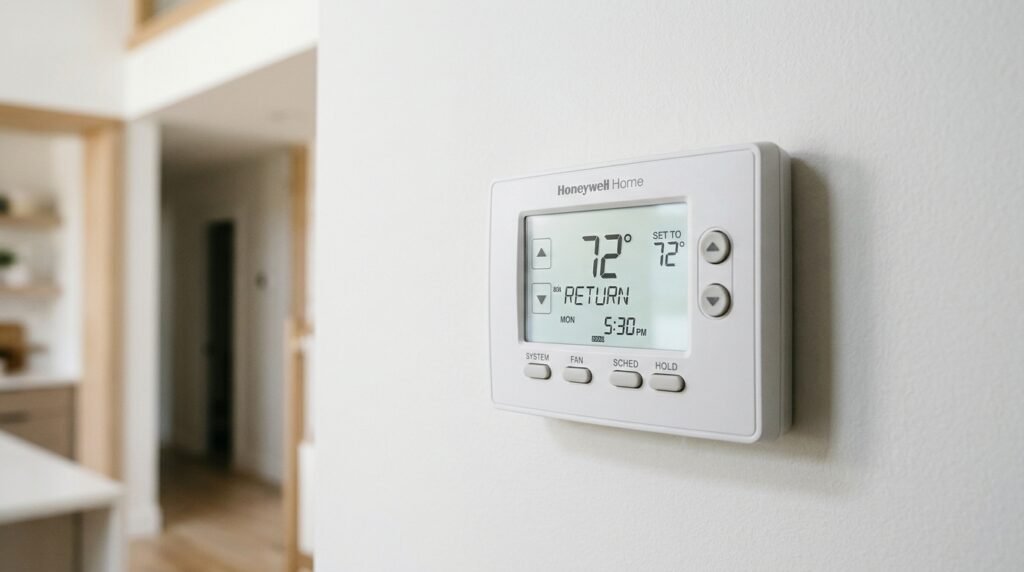
If Return appears earlier or later than expected, first check the thermostat’s clock and day setting. A wrong clock can make a correctly programmed schedule run at the wrong time. Some Honeywell manuals warn that a flashing clock can affect schedule operation until the time and day are set. Daylight saving time changes can also make the displayed time differ from the schedule you expect, depending on the model and its settings. Next, check whether you are viewing the weekday or weekend schedule. A thermostat with a 5-2 schedule may use one program for Monday through Friday and another for Saturday and Sunday. A 7-day model may have separate settings for each day. Also check whether someone has changed the schedule or activated a hold. If the thermostat is connected to an app, review the schedule there as well. Make one change at a time and observe whether the issue is resolved. If the clock repeatedly loses its setting, consult the model manual for battery or power requirements. Do not assume the Return period itself is defective simply because it starts at an unexpected time. A clock, day selection, schedule configuration, or hold setting may explain the behavior. RTH2510/RTH2410 Series+1
Why Does the House Still Feel Uncomfortable During Return?
The Return period changes the thermostat’s target temperature, but it cannot guarantee that the home will reach that temperature immediately. Heating and cooling systems need time to change indoor conditions. A large difference between the current room temperature and the target can take longer to correct. Outdoor temperature, insulation, air leaks, room size, equipment capacity, and airflow can all affect how quickly a home becomes comfortable. Thermostat placement can also matter. A thermostat near a draft, direct sunlight, a heat source, or an unusually warm area may measure conditions that do not represent the rest of the home. If the system runs but the temperature does not move toward the target, check that the correct mode is selected and that vents and returns are not blocked. Also consider whether the air filter needs attention, following the equipment manufacturer’s maintenance instructions. If the system does not start, check the display for system indicators and review the thermostat’s power and equipment settings. Do not open electrical equipment or attempt repairs unless you are qualified to do so. If the heating or cooling system repeatedly fails to reach the setpoint, makes unusual noises, or shows signs of a fault, contact a qualified HVAC technician. The Return schedule can control when a target changes, but it cannot correct an equipment problem.
Does Every Honeywell Thermostat Have a Return Setting?
No. Return is common on many programmable Honeywell thermostats that use the Wake, Leave, Return, and Sleep schedule. However, not every Honeywell thermostat uses those exact labels. Some newer Honeywell Home models use Wake, Away, Home, and Sleep. Other products may have different schedule layouts, fewer periods, or app-based controls. A non-programmable thermostat may not show Return at all because it does not use separate daily schedule periods. Even within programmable product families, the available days and periods can differ. For example, one model may use a weekday and weekend schedule, while another may support individual daily programming. The safest way to identify the features is to check the model number and consult its official user guide. Do not follow button instructions for a different thermostat just because the display looks similar. If your thermostat uses Home instead of Return, that period may serve a similar evening purpose, but the model’s manual should confirm how it works. docs.honeywellhome.com+2
Common Mistakes When Using the Return Setting
One common mistake is treating Return as a button that sends the thermostat back to an earlier temperature. On many programmable models, it is a schedule label. Another mistake is setting the Return time to the exact moment you arrive home without considering how long the system may need to change the indoor temperature. A third mistake is changing the weekday schedule but forgetting that weekends may have separate settings. People may also adjust the heating temperature while expecting the cooling setting to change automatically. Some thermostats store separate heat and cool values, so both may need review. Another source of confusion is leaving a temporary or permanent hold active. The thermostat may then maintain a manually selected temperature rather than following the normal schedule. Finally, copying instructions from a different Honeywell model can lead to incorrect button presses or missed settings. Before changing anything, identify the thermostat model, check the clock, review the active day, and confirm whether the schedule is enabled. These simple checks can prevent unnecessary resets and help you understand why the thermostat is behaving differently.
When Should You Check the Thermostat Manual or Contact a Technician?
Check the user manual when the Return label does not match the instructions on your thermostat, when you cannot find the schedule menu, or when you are unsure how to disable a period. The manual is also useful if your model has different weekday and weekend programming, app controls, or hold options. Contact a qualified HVAC technician if the thermostat calls for heating or cooling but the equipment does not operate correctly, if the system repeatedly shuts down, or if you notice unusual sounds, smells, or electrical problems. A thermostat schedule issue is not the same as a heating or cooling equipment fault. Avoid removing wiring, opening the HVAC unit, or changing installer settings without the right training. If the thermostat display is blank or repeatedly loses its clock, check the manual for the correct power or battery guidance. If the thermostat is part of a larger smart-home system, the app or installer may also have configured settings that affect its operation. A technician can help determine whether the problem comes from the thermostat, wiring, equipment, or system configuration.
FAQs
What does Return mean on Honeywell thermostat?
Return usually means the scheduled period when you expect to come home and want a comfortable indoor temperature. The thermostat switches to the heating or cooling setting assigned to that period. It commonly follows Leave and continues until Sleep begins. The exact schedule labels depend on the model.
Does Return mean my Honeywell thermostat is on?
No. Return is generally a schedule label, not an indicator that the heating or cooling equipment is running. It tells the thermostat which programmed temperature to follow. The system runs only when needed and when the selected mode calls for heating or cooling.
What temperature should I set for Return?
Choose a temperature that feels comfortable for your household while following your HVAC equipment’s guidance. The right setting depends on the season, climate, home, and personal needs. There is no single Return temperature that suits every house.
How do I change Return on my Honeywell thermostat?
Open the schedule or program menu, select the correct day or day group, find Return, and adjust its start time or temperature. Save the changes using the control specified in your model’s manual. Button sequences vary across Honeywell thermostat models.
Why does my Honeywell thermostat switch to Return automatically?
It switches automatically because Return is part of its programmed schedule. When the clock reaches the Return start time, the thermostat applies the temperature assigned to that period. Check the clock and schedule if the change happens at an unexpected time.
What is the difference between Return and Home on a Honeywell thermostat?
Return is a common label on older programmable models for the evening period after you arrive home. Some newer Honeywell Home thermostats use Home instead. The terms can serve a similar scheduling purpose, but the exact operation depends on the thermostat model.
Conclusion
Return is usually the evening schedule period on a Honeywell programmable thermostat. It tells the thermostat when to use the temperature you selected for the time you expect to be home. It normally follows Leave and continues until Sleep begins. If the temperature changes unexpectedly, check the schedule, clock, day selection, and any active hold before assuming something is wrong. The meaning of Return can vary with the thermostat family, so use the manual for your exact model when changing its settings. Understanding what does return mean on honeywell thermostat makes it easier to manage your daily temperature schedule and identify whether an unexpected change is normal programming or a separate issue.