
If you are searching for how to set up my home decoradtech, the best place to start is not with a cart full of smart gadgets. Start with the way the home already works. Identify daily problems, improve Wi-Fi where needed, choose a compatible smart-home platform, and add technology room by room. Lighting, climate controls, smart plugs, sensors, security devices, and automated shades can then be integrated without making the home look crowded or difficult to operate.
DecoradTech is best understood as an informal idea that combines home decor with useful technology. Several current websites use the term in this broader sense rather than describing one clearly defined hardware system. That distinction matters. There is no single universal DecoradTech installation sequence, hub, or device list that applies to every home. A successful setup depends on the actual products being installed and their manufacturer instructions.
The goal should be simple: technology needs to solve a problem while fitting naturally into the room. A lamp that turns on at the right time is useful. Ten connected devices that require five apps are not automatically better. The following process focuses on planning, compatibility, security, clean design, and routines that remain easy to live with.
Decide What the Smart Home Should Actually Improve
The first step in how to set up my home decoradtech is identifying the problems worth solving. Walk through the home and note repeated inconveniences. Maybe a dark hallway needs better automatic lighting. Perhaps the thermostat is difficult to manage around changing schedules. The television area may have visible cables. The entryway might need better security or a simpler lighting routine.
Separate needs from interesting features. Create three groups: problems to solve now, upgrades that could be useful later, and features that are mainly optional. This keeps the project focused and helps prevent impulse purchases.
Think about other household members as well. A smart home that only one person understands is poorly designed. Children, older family members, visitors, or roommates may still need ordinary switches and simple controls.
This planning stage also establishes a budget. Instead of spreading money across many inexpensive devices, it may be better to complete one useful room and learn from it before expanding.
Check Your Wi-Fi Before Adding Devices
Most connected-home problems are frustrating because the device appears to be faulty when the network is actually the weak point. The FTC recommends starting smart-home security with the router because connected household devices commonly rely on it. Router software should be kept updated, and the wireless network should use appropriate encryption.
For how to set up my home decoradtech successfully, check coverage where devices will actually be installed. A router may provide excellent service in a living room but weak coverage at an outdoor doorbell, garage, upstairs bedroom, or distant garden area.
Do not assume every smart device uses Wi-Fi in the same way. Some products communicate through Wi-Fi, while others may use Thread, Zigbee, Bluetooth, or another system with a compatible hub or bridge. Read the device requirements before purchasing it.
Avoid moving a router into a closed cabinet simply to hide it. Its placement can affect network performance. If coverage is poor, solve that problem according to the router or networking equipment manufacturer’s guidance before adding dozens of connected devices.
Choose an Ecosystem Before Buying a Room Full of Products
Compatibility becomes increasingly important as the smart home grows. One light controlled through one app is manageable. Twenty devices divided among unrelated platforms can become inconvenient.
A better how to set up my home decoradtech strategy is to choose the primary control ecosystem early. Think about the phones, tablets, smart speakers, and other devices already used by the household. Then check whether planned smart-home products officially support that environment.
Matter can make this process easier for supported products. The Connectivity Standards Alliance describes Matter as an interoperability standard that works with major smart-home platforms. Matter devices can use technologies including Wi-Fi, Thread, Ethernet, and Bluetooth Low Energy during relevant parts of connection and setup. Matter does not replace the smart-home platform itself.
Compatibility still needs to be checked at the feature level. A product may connect to multiple ecosystems while certain functions remain available only through its manufacturer’s app. Review current product documentation rather than assuming a logo guarantees every feature.
Start With One Room Instead of the Whole House
A room-by-room rollout is easier to troubleshoot and usually leads to better decisions. The living room is often a practical starting point because lighting, entertainment, charging, and climate comfort meet in one place. A bedroom may be better if the main goals involve lighting routines and privacy. An entryway makes sense when security and arrival routines are priorities.
When learning how to set up my home decoradtech, choose one room and complete its basic setup before expanding. Start with layout and existing decor. Decide where furniture should remain, where outlets are available, which lights need control, and where devices can sit without becoming visual clutter.
Install one connected product first. Make sure pairing, updates, manual controls, and everyday use all work. Then add the next device.
This approach reveals problems early. If a particular ecosystem, app, wireless technology, or control method feels awkward with two devices, it is better to discover that before buying twenty.
Use Smart Lighting to Improve the Room, Not Turn It Into a Light Show
Lighting is a practical entry point because it changes both function and atmosphere. Begin with three roles: general light, task light, and accent light. A ceiling fixture may provide general illumination. A desk or reading lamp handles focused tasks. A concealed or directional light can highlight shelving, artwork, or architectural details.
For how to set up my home decoradtech with lighting, automate only routines that are genuinely useful. Entry lights might operate on an appropriate schedule or sensor. Living-room lighting can shift to a calmer evening scene. Bedroom lighting may gradually become dimmer before sleep if the chosen products support that function.
Keep physical controls usable. Nobody should need to locate a phone simply to illuminate a room.
Compatibility also matters with switches and dimmers. Not every smart bulb should be combined with every existing dimmer. Follow the lighting manufacturer’s requirements. Permanent electrical modifications should be completed according to applicable local requirements and by qualified help where appropriate.
Hide Cables Without Hiding Problems
Technology adds cables quickly. Televisions, speakers, hubs, routers, chargers, lamps, game systems, and desk equipment can make a carefully decorated room look unfinished.
Cable management should therefore be part of how to set up my home decoradtech from the beginning. Remove cables that no longer serve anything. Use the correct cable length where possible. Group related low-voltage cables neatly and use cable-management products according to their intended purpose.
Desks can often benefit from suitable under-desk trays or cable clips. Media furniture can be positioned so necessary wiring remains organized and serviceable.
Do not sacrifice electrical safety for appearance. Extension cords should not become permanent substitutes for needed fixed wiring. Avoid routing ordinary cords beneath rugs or through locations where they may be pinched or damaged. Do not place equipment into enclosed decorative boxes if the manufacturer requires ventilation.
If power needs to be concealed inside a wall or new receptacles are required, use appropriate products and qualified electrical work rather than improvising.
Use Smart Plugs for Simple, Appropriate Tasks
Smart plugs can make ordinary plug-in devices easier to control, but they should be treated as electrical devices rather than universal automation adapters.
A sensible how to set up my home decoradtech plan might use a compatible smart plug for a difficult-to-reach lamp or another suitable device that benefits from scheduling. Before connecting anything, check the smart plug’s ratings, manufacturer instructions, and the requirements of the appliance.
Do not assume that a high-load or heat-producing appliance should be remotely automated merely because its plug fits. Some equipment requires direct supervision or has operating conditions that make unattended control inappropriate.
Also think about what happens after power returns following an outage. Different devices may behave differently. Test important routines instead of assuming they will always resume in the desired state.
The best smart plug is often the one that quietly eliminates one repetitive action. If adding it creates another app, another account, and more troubleshooting than the original task required, it may not be an improvement.
Make Climate Control Compatible With the Actual HVAC System
A smart thermostat can add schedules, remote controls, and energy information, but thermostat compatibility depends on the heating and cooling system. The U.S. Department of Energy notes that smart thermostats can offer remote control, schedules, and energy-management features. It also advises that equipment and thermostat design matter, including for heat-pump systems.
This means how to set up my home decoradtech should not include replacing a thermostat solely because a new model looks better. Check system compatibility, wiring requirements, power needs, and manufacturer instructions first.
The thermostat’s location also matters. It needs to sense conditions appropriately rather than being influenced by an unsuitable location. Follow the manufacturer’s placement guidance.
Once installed, keep schedules realistic. Excessive automation can become annoying if household routines vary significantly.
If the existing system has unusual wiring, multiple zones, a heat pump, or equipment that is difficult to identify, professional HVAC guidance may be more useful than guessing from online diagrams.
Treat Smart Security as a Privacy Decision Too
Doorbells, cameras, locks, and sensors can make home monitoring more convenient, but they also handle sensitive information. Security equipment deserves more planning than decorative lighting.
When considering how to set up my home decoradtech around cameras, decide first what actually needs monitoring. Avoid placing cameras where they unnecessarily record private household areas. Consider what neighboring property or public space enters the field of view and follow applicable local rules.
Account security is just as important. The FTC recommends strong, unique passwords, software updates, and two-factor authentication where available for connected devices. It also advises securing the home router and keeping camera software current.
Review who has access to live video, recordings, door locks, and security alerts. Remove access when it is no longer required.
Also check storage arrangements. Some products use local storage, some use cloud services, and features may depend on subscriptions. Verify current terms directly with the manufacturer before purchasing.
Secure Every Connected Device During Setup
Cybersecurity should happen during installation, not after the house is filled with devices. Factory settings may be convenient for initial setup but should not simply be left untouched.
A secure how to set up my home decoradtech process includes changing default credentials where applicable, using unique passwords, enabling multi-factor authentication when supported, and installing current firmware. CISA specifically identifies default credentials and outdated software as avoidable security risks.
Review unnecessary features too. If remote access is not needed, consider disabling it when the product allows. Remove old connected products from accounts and networks when they are no longer used.
Before buying a device, look at the manufacturer’s update policy. The FTC has warned that support periods for smart products are not always easy for consumers to find. A device can remain physically functional long after its connected software loses support.
This matters most for products expected to remain installed for years. Long-term software support can be as important as appearance.
Keep Technology Visually Quiet
DecorAdTech works best when a room still feels like a home. Devices do not all need to be displayed simply because they are new.
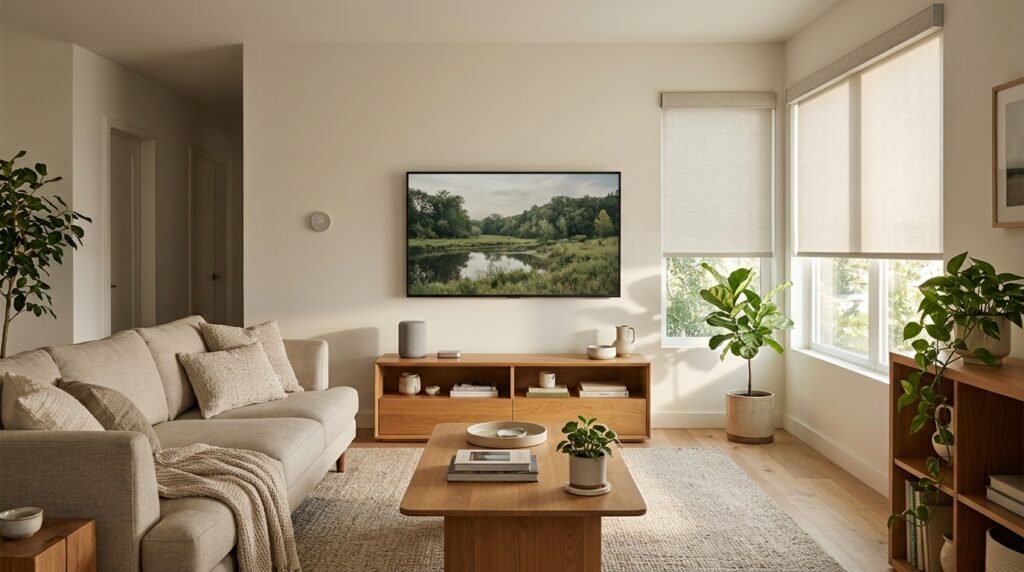
A visually balanced how to set up my home decoradtech approach begins with the existing interior. If the room uses warm wood, soft fabrics, and neutral colors, technology should fit around that palette rather than dominate it. A speaker can sit naturally on shelving. A charging station can occupy a dedicated drawer or console area if used safely. Small hubs can be positioned discreetly while remaining accessible.
Do not hide devices that need airflow, wireless signal, microphones, sensors, or a clear field of view. Routers should not be buried merely for aesthetic reasons. Cameras cannot function properly when decorative objects block them. Safety sensors need manufacturer-approved placement.
Reduce visual noise elsewhere instead. Organize cables, remove unused devices, group chargers, and limit the number of objects surrounding screens. Good integration often means making the area around technology simpler rather than physically hiding every device.
Build Useful Scenes and Automations
Automation becomes valuable when several actions naturally belong together. A morning routine might turn on selected lights and adjust compatible devices. An evening scene could lower certain lights and close supported shades. An away routine might control selected lighting and security functions.
The important part of how to set up my home decoradtech automation is restraint. Do not automate a task merely because the app offers a trigger for it. Ask whether the automation saves time, improves comfort, supports accessibility, or solves a repeated inconvenience.
Avoid creating routines that surprise people. A light that suddenly turns off while someone is reading will become frustrating quickly. Motion-based automation should account for how the room is actually occupied.
Name devices clearly inside the app. “Living Room Floor Lamp” is more useful than “Light 4.” Clear naming makes troubleshooting and voice control easier.
Test routines for several days before creating more. A small number of reliable automations usually provides more value than dozens of complicated routines nobody remembers.
Design the Living Room Around People First
The living room often contains the largest concentration of consumer technology. Television equipment, speakers, game systems, lamps, charging devices, and network hardware can easily become the room’s visual identity.
For how to set up my home decoradtech in this space, begin with furniture placement and viewing comfort. Make sure walking paths work before deciding where technology goes. Then plan power, cable routing, speakers, and lighting around that arrangement.
Avoid placing every piece of furniture around a device unless television viewing is genuinely the room’s main purpose. Conversation areas, windows, fireplaces, artwork, and outdoor views may deserve equal attention.
Give remotes and controllers a permanent location. Create a charging point rather than spreading cables across several tables. Use closed storage for accessories that do not need constant access.
If wall-mounting a television requires new electrical work or concealed power, plan that work properly. A clean wall is valuable only when the installation behind it is equally sound.
Keep the Bedroom Simpler Than the Living Room
Bedrooms usually benefit from less visible technology. The main goals are often convenient lighting, comfortable temperature, practical charging, and a calm environment.
A bedroom version of how to set up my home decoradtech might include controllable bedside lamps, suitable automated shades, climate control, or a small charging area. It does not require multiple glowing displays or a collection of devices on every surface.
Place chargers where cables do not cross walking areas. Reduce unnecessary notifications from smart displays and speakers. Review microphone, camera, and privacy settings on any device kept near the bed.
Automation should also preserve manual control. A bedside lamp should remain easy to operate if the internet or smart-home platform is unavailable.
Consider ordinary decor at the same time. Window treatments, furniture placement, storage, bedding, and lighting quality can improve a bedroom more than another connected gadget. Technology should support those fundamentals rather than become the design theme itself.
Kitchens Need Function Before Automation
Kitchens are already filled with equipment, so adding technology requires discipline. Counter space is valuable. Avoid covering it with devices that perform tasks rarely needed.
The kitchen stage of how to set up my home decoradtech can begin with lighting. Good task lighting around preparation areas may provide more daily value than an advanced gadget. Connected lighting can be useful if scheduling or grouped controls solve a real problem.
Charging points and smart displays should be located away from wet, hot, or crowded work areas as appropriate. Follow manufacturer placement requirements for all electrical products.
Organize existing appliances before adding new ones. Frequently used items deserve convenient access, while occasional equipment can be stored elsewhere.
Be particularly careful with remote automation of cooking or heat-producing appliances. Use equipment only in the manner approved by its manufacturer. The ability to connect an appliance to a smart control does not automatically make unattended operation safe.
Use Matter Where It Makes Compatibility Easier
Matter is useful to understand because it is designed to improve interoperability among compatible smart-home products. Current Matter support covers a growing range of device categories, and the standard works alongside major smart-home ecosystems rather than replacing them.
For someone learning how to set up my home decoradtech, the Matter badge can therefore be one useful compatibility signal when selecting new products. It should not be the only buying criterion. Check whether the specific device type and desired functions are supported by the chosen platform.
Matter setup commonly uses a QR or numeric setup code. The Connectivity Standards Alliance explains that supported devices can be commissioned through a manufacturer’s app or compatible smart-home platform.
Keep setup codes in a secure place after installation in case they are needed later. Do not remove labels or throw away important setup information until the system is fully working.
Existing non-Matter products do not automatically become useless. Some can continue working through their existing hubs or compatible bridges.
Plan for What Happens When the Internet Goes Down
A smart home should not become unusable during a network outage. This is an overlooked part of how to set up my home decoradtech.
Test basic functions without relying on a phone. Can important lights still be operated manually? Can the door be unlocked appropriately? Does climate equipment retain normal control? What happens to schedules and automations? The answers depend on the devices and platforms being used.
Some smart-home functions can operate locally, while others depend heavily on cloud services. Check product documentation rather than assuming either behavior.
Keep essential physical access methods available where appropriate. A connected lock, for example, should be understood in terms of its battery behavior, backup access, and manufacturer instructions before it becomes the household’s primary entry method.
Network resilience matters too. Routers, hubs, and controllers are infrastructure once multiple household systems depend on them. Place and maintain them accordingly instead of treating them as disposable accessories.
Avoid Buying Too Much at the Beginning
One of the easiest mistakes is confusing a smart home with a large device collection. The most successful setup may contain fewer products than expected.
A budget-conscious how to set up my home decoradtech plan should prioritize high-use improvements. Lighting controls used every evening may justify their cost. A smart plug solving an awkward lamp may be useful immediately. A specialized connected appliance used twice a year may not.
Consider hidden costs. Some products may require hubs, subscriptions, batteries, replacement accessories, cloud storage, or professional installation. Verify those costs before committing to a system.
Software support also affects long-term value. A device that looks inexpensive can become poor value if its connected functions stop receiving support early.
Expand only after the first devices prove useful. Living with a small setup for several weeks reveals which automations are genuinely helpful and which sounded better during shopping than they feel in daily life.
Common DecorAdTech Setup Mistakes
Buying incompatible products is the obvious mistake, but it is not the only one. Poor router placement, weak Wi-Fi, confusing device names, too many apps, exposed cables, and excessive automation can all make a smart home feel less convenient.
Another how to set up my home decoradtech mistake is removing ordinary controls. Physical switches and straightforward manual operation remain valuable. Guests should not need an account to use the room.
Do not ignore privacy during camera and microphone setup. Do not postpone firmware updates indefinitely. Avoid leaving factory credentials unchanged. Do not hide network equipment in locations that interfere with performance or ventilation.
Aesthetic mistakes matter too. Too many LED strips, screens, visible hubs, and charging stations can make a comfortable home feel like a technology display. Select a few deliberate features and allow furniture, materials, plants, artwork, and natural light to remain visually important.
Finally, recognize the limit of DIY work. Fixed electrical wiring and other regulated building work may require qualified professionals and local compliance.
Frequently Asked Questions
What is the easiest way to learn how to set up my home decoradtech?
Start with one room and one real problem. Secure and check the home network, choose the main smart-home platform, and add one compatible device. Test it before buying more. This keeps setup simple and reveals compatibility problems early.
Do I need a smart hub for DecorAdTech?
Not always. Requirements depend on the products selected. Some devices connect through Wi-Fi, while others may use Thread, Zigbee, or another technology that needs a compatible controller, border router, bridge, or hub. Check each manufacturer’s requirements.
Does every smart-home device need Wi-Fi?
No. Smart-home products use several connection technologies. Matter itself can operate over technologies including Wi-Fi, Ethernet, and Thread, while Bluetooth Low Energy is used during setup in Matter’s commissioning process. Other smart-home products may use additional protocols.
Should all my smart devices come from one brand?
No. Staying with one brand can simplify some setups, but interoperability standards and compatible platforms allow products from different manufacturers to work together in many cases. Check actual feature compatibility before purchase rather than relying only on brand names.
How can I make smart-home technology look less cluttered?
Plan cable routes, reduce duplicate devices, create dedicated charging areas, and choose discreet placement. Keep routers, sensors, cameras, and other equipment functional rather than hiding them in ways that block signals, airflow, or required fields of view.
Is a DecorAdTech home expensive to set up?
It does not have to be. There is no required DecorAdTech device package. A setup can begin with one useful light, plug, sensor, or other compatible product. Starting small also reduces the risk of spending money on technology that does not fit the household.
Build the System Around Daily Life
The best answer to how to set up my home decoradtech is to build gradually. Start with the network and household needs. Choose compatible technology. Improve one room. Test the controls. Secure accounts. Organize cables. Then add automation only where it makes a repeated task easier.
Decor and technology should support each other. A room still needs comfortable furniture, practical storage, good lighting, clear movement, and materials that suit everyday life. Smart products should strengthen those basics rather than replace them.
Before purchasing the next device, ask three questions: What problem will it solve? Will it work with the system already in the home? Can everyone who needs it operate it easily? If those answers are clear, the upgrade probably has a purpose. That practical approach to how to set up my home decoradtech creates something more valuable than a house full of gadgets: a home where technology is useful enough to notice when needed and quiet enough to forget when it is not.