Light automation home is a practical way to make household lighting respond to schedules, occupancy, daylight, scenes, or commands instead of relying only on manual switches. A well-designed system can turn selected lights off when rooms are empty, dim fixtures at night, adjust lighting around daily routines, and provide convenient control from switches, apps, or voice assistants. It can also support energy savings when automation reduces unnecessary operating time or light output. The idea is not to make every bulb complicated. Good automation keeps essential lighting easy to use even when an app, internet connection, or voice assistant is unavailable. Homeowners also need to think about dimmer compatibility, sensor placement, wireless coverage, electrical safety, cybersecurity, and long-term product support. This article explains how automated home lighting works, which controls are useful, how to plan rooms and scenes, what can go wrong, and when a simple manual control is the better choice.
What Does Home Lighting Automation Actually Do?
Lighting automation uses controls, sensors, schedules, connected devices, or combinations of these technologies to change lighting without requiring the same manual action every time. A light automation home setup might turn an entry light on at a scheduled time, switch utility-room lights off after the room becomes vacant, lower bedroom lighting before sleep, or adjust selected lights when enough daylight enters a room. The U.S. General Services Administration identifies common automated lighting controls such as occupancy sensors, vacancy sensors, photosensors, dimmers, and timers. These controls solve different problems. Occupancy sensors can automatically turn lights on when activity is detected and off after a space becomes unoccupied. Vacancy controls require someone to turn lights on but can switch them off automatically later. Photosensors respond to daylight. Timers operate around programmed periods. Dimmers change light output. Smart-home systems can add remote control, scenes, routines, and integration with other compatible devices. The most useful system combines only the controls needed for the room rather than automating every possible action.
Start With the Lighting Problem Before Buying Devices
The first planning step is to identify what is inconvenient about the current lighting. A light automation home project should solve a real problem instead of starting with a shopping list. Walk through the house during a normal day and note repeated actions. Perhaps hallway lights remain on because nobody remembers to switch them off. Maybe exterior lights need predictable evening control. A bedroom may need lower lighting before sleep, while a kitchen may need quick access to several lighting layers. A family may also want one control near the exit that turns off selected lights before everyone leaves. After identifying the problem, decide whether automation is actually necessary. A well-positioned switch or ordinary dimmer may be simpler for some rooms. Automation earns its place when it removes repetitive actions, improves useful control, reduces unnecessary operation, or makes a difficult-to-reach fixture easier to manage. Starting with household behavior also prevents a common mistake: buying several connected bulbs and sensors before deciding what each device is supposed to accomplish.
Smart Bulbs and Smart Switches Solve Different Problems
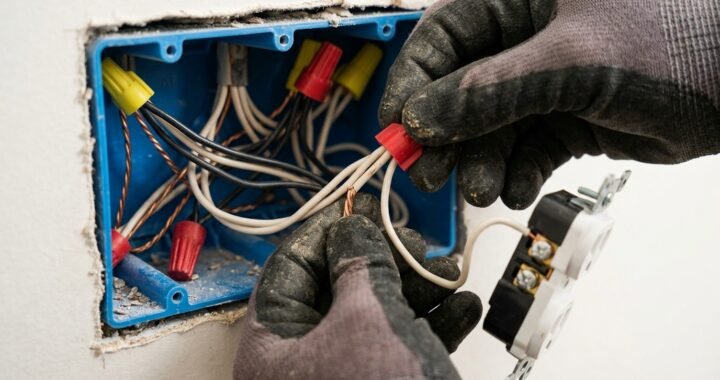
Smart bulbs place connected control at the lamp or bulb itself, while smart switches or dimmers control lighting from the wall. The better choice depends on the fixture, wiring, household behavior, desired features, and product compatibility. Smart bulbs can be useful when individual lamps need separate dimming, scheduling, or color control. However, some connected bulbs depend on receiving continuous power. If someone repeatedly turns off the conventional wall switch supplying that bulb, remote functions may become unavailable until power is restored. A compatible smart wall control can feel more natural for permanently installed ceiling lights because household members continue using a familiar switch location. It may also control multiple compatible lamps together. Electrical requirements vary considerably between products. Some wall controls have specific wiring, load, lamp, or neutral-wire requirements. Never assume a switch is compatible simply because it physically fits the wall box. Check the manufacturer’s installation instructions and fixture requirements before purchasing. Permanent electrical work should be completed safely and according to applicable local requirements.
Dimming Requires Compatible Lamps and Controls
Dimming is one of the most useful features in a light automation home because the same room can need different light levels during the day. A kitchen may need bright task lighting during food preparation and softer general lighting later. A living room can use brighter levels for cleaning and lower levels for relaxing. A bedroom may benefit from gradually reducing light before bedtime. The technical side matters, however. The GSA notes that LED lamps used with dimmers need to be designed for dimming and that the dimmer must be compatible with the lighting technology. Poor combinations can lead to flicker, limited dimming range, unstable output, unexpected shutoff, buzzing, or other unwanted behavior. Smart controls do not eliminate these compatibility issues. Before replacing a wall dimmer or buying lamps, check the control manufacturer’s specifications and the lamp or fixture requirements. Integrated LED fixtures may have their own supported control methods. Good automated dimming should feel smooth and predictable; visible flicker or unreliable operation is a reason to investigate compatibility rather than accepting the problem as normal smart-home behavior.
Occupancy and Vacancy Sensors Are Not the Same
Sensor terminology can sound similar, but the control behavior is different. According to the GSA, an occupancy sensor can detect activity and automatically turn lighting on, then turn it off after the space becomes unoccupied. A vacancy sensor generally requires a person to switch the light on manually but can turn it off automatically when the room is no longer occupied. That distinction matters when planning light automation home controls. Automatic-on operation can be convenient in a laundry room when someone enters carrying a basket. It may be annoying in a bedroom if every nighttime movement produces unwanted light. Manual-on, automatic-off behavior can give residents more control while still reducing the chance of lights remaining on in an empty room. Sensor technology also affects detection. The GSA describes infrared and ultrasonic approaches, each with different characteristics. Instead of choosing a sensor only by price, consider the room layout, line of sight, expected movement, mounting position, and desired behavior. A sensor is useful only when it detects actual occupancy reliably without constantly triggering at the wrong time.
Sensor Placement Determines How Well Automation Works

A high-quality sensor installed in the wrong location can create poor automation. Light automation home planning should therefore consider how people actually move and remain in each space. A sensor that sees only the doorway may detect someone entering but fail to recognize smaller movements once that person sits down. This can result in lights switching off while the room is still occupied. The opposite problem is false activation. A poorly positioned sensor may respond to movement outside the intended area or detect activity that should not control the lights. Room shape, doors, partitions, furniture, mounting height, and sensor technology all influence performance. The U.S. Department of Energy’s guidance for wireless occupancy controls emphasizes selecting suitable spaces, choosing the correct sensor, deciding mounting location and orientation, setting appropriate control parameters, and calibrating operation. Those steps translate well to residential planning. Do not treat installation as finished the moment the sensor responds. Use the room normally, then adjust sensitivity, timeout, orientation, or automation logic where the product allows it.
Daylight Control Can Reduce Unnecessary Electric Lighting
Rooms with useful natural light do not always need the same amount of electric lighting throughout the day. Photosensors can detect daylight and allow a compatible system to dim or switch electric lights in response. The GSA notes that interior photosensors can be used to turn off or dim electric lighting when sufficient daylight is available. In a light automation home, this approach can make sense near large windows, bright kitchens, workspaces, or other areas where daylight changes significantly. The goal is not to make electric lighting constantly fluctuate with every passing cloud. Controls should maintain comfortable, usable illumination while avoiding unnecessary output. Sensor location matters because a photosensor receiving direct or unrepresentative light may make poor decisions about the rest of the room. Daylight automation also provides little benefit in a space that receives almost no natural light. Before adding it, observe the room from morning through evening. If electric lights remain unnecessarily bright for long periods while strong daylight is available, daylight-responsive control may solve a genuine problem.
Timers and Schedules Work Best for Predictable Routines
Schedules are among the simplest forms of automation because they do not need to guess whether someone is present. A light automation home system can use schedules for selected exterior lighting, a morning routine, evening ambient lighting, or other predictable patterns. The GSA identifies timers as controls that can turn indoor or exterior lighting on and off at specified times. A fixed schedule works well when the desired action happens consistently. It becomes less useful when household routines change every day. For example, turning a porch light on every evening can be sensible, while automatically turning every living-room light off at the same early hour may frustrate people who are still using the space. Some connected systems allow schedules to work alongside other conditions or manual overrides. That flexibility is valuable. Automation should provide a useful default rather than trap residents inside a rigid routine. Review schedules when seasons, work hours, travel patterns, or household needs change. An old schedule that nobody remembers setting can become one of the most confusing sources of unexpected lighting behavior.
Lighting Scenes Are Better Than Controlling Every Fixture Separately
A scene stores a useful combination of lighting states so several fixtures can change together. Instead of opening an app and adjusting five lights individually, one command can establish a setting for reading, dining, watching television, entertaining, or bedtime. This makes scenes one of the most practical features of light automation home design. Good scenes begin with activities, not technology. A dinner setting might emphasize light over the table while lowering nearby ambient fixtures. A television scene may reduce glare without making circulation paths completely dark. A nighttime scene could use only low-level lighting where people need to walk safely. Avoid creating dozens of nearly identical scenes with names nobody remembers. Most households benefit more from a small set of obvious choices. Scenes should also remain adjustable because a stored level that works during winter may feel different during bright summer evenings. Where possible, keep physical access to frequently used scenes. A wall button can be faster and more understandable than searching through an app whenever someone enters the room.
Layered Lighting Makes Automation More Useful
Automation cannot fix a room that depends on one poorly chosen fixture. A better light automation home starts with useful lighting layers. Ambient lighting provides general illumination. Task lighting supports activities such as cooking, reading, grooming, or desk work. Accent lighting can highlight artwork, architecture, shelving, or other features. Decorative fixtures may contribute both light and visual character. Automation becomes more useful when these layers can be controlled according to the activity. A kitchen, for example, may use ceiling lighting for general visibility, under-cabinet lighting for work surfaces, and pendants for the island. Those layers do not always need identical brightness or schedules. A living room may combine ceiling fixtures, floor lamps, and accent lighting rather than relying on one very bright source. Plan the lighting first and the automation second. If a room lacks adequate task lighting, adding a smart switch will not solve the underlying design problem. Good controls make appropriate lighting easier to use; they do not replace thoughtful fixture placement and suitable light levels.
Bedrooms Need Gentle and Predictable Automation
Bedrooms are one place where aggressive automation can quickly become irritating. A light automation home plan should avoid bright automatic-on lighting during sleep hours unless there is a specific need. Low-level bedside, floor-level, or circulation lighting can be more comfortable for nighttime movement. A bedtime scene can turn off selected fixtures while leaving a small light available where needed. Morning schedules may be useful for some households, but they should be easy to disable on days when routines change. Voice control can be convenient from bed, yet physical controls should remain accessible. Occupancy sensors require careful thought because people remain still for long periods while sleeping or reading. A sensor that interprets low movement as vacancy may switch lights off unexpectedly. The bedroom is also a good place to reduce unnecessary status LEDs, screens, and complicated controls. Automation should make the room calmer, not more technical. If a normal bedside switch solves the task perfectly, there is no requirement to replace it merely because other rooms are connected.
Kitchens Benefit From Separate Lighting Zones
Kitchen lighting serves several jobs, so putting every fixture on one automated command can reduce flexibility. A practical light automation home setup may separate ceiling lights, under-cabinet task lighting, island pendants, dining lights, and selected accent fixtures. Bright task lighting can support food preparation, while softer layers can remain on after cooking. Motion control may be useful for a pantry, but automatic shutoff should be considered carefully in the main kitchen because someone may stand relatively still while preparing food. Scenes can simplify the larger space without eliminating separate controls. A cleaning scene may use stronger general illumination, while an evening setting can reduce overhead brightness and retain comfortable task or accent lighting. Smart controls near cooking areas should never distract from basic electrical and appliance safety. Permanent switches, dimmers, fixtures, and wiring need to be suitable for their loads and installed according to manufacturer instructions and applicable requirements. The automation layer should make a well-designed kitchen easier to operate, not create another task during cooking.
Hallways, Closets, and Utility Areas Are Good Automation Candidates
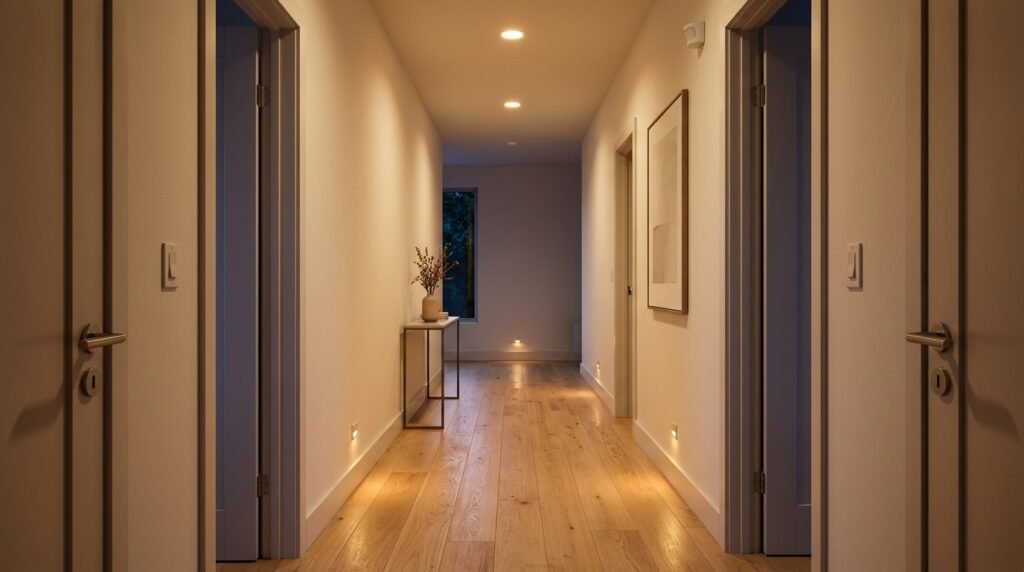
Some of the easiest places to justify automation are transitional or short-use spaces. Hallways, closets, pantries, utility rooms, garages, and similar areas are often used briefly and are easy places to forget a light. A light automation home can use occupancy or vacancy controls to reduce that problem. The best behavior still depends on the room. Automatic-on lighting may be useful when entering a utility room with full hands. A closet can often tolerate simple occupancy control. Hallway automation may need lower brightness at night than during daytime. Garages can require longer timeout periods if someone works there without moving constantly within a sensor’s detection area. These rooms also demonstrate why one universal timeout is a poor design choice. A short delay may suit a closet but be frustrating in a garage workshop. Observe how long people normally remain in each space and how much movement occurs. Then choose the sensor behavior and timing around actual use instead of copying identical settings throughout the house.
Exterior Lighting Needs a Different Automation Strategy
Outdoor lighting deals with darkness, weather exposure, security needs, entrances, paths, and changing daylight. Photosensors and timers can be useful because exterior lighting often follows predictable environmental conditions. The GSA notes that photosensors are particularly useful for ensuring exterior lights operate at night and remain off during daylight. A light automation home may combine dusk-related control with schedules or motion activation, depending on the purpose of each fixture. Entry lighting may need different behavior from decorative landscape lighting. Bright lights that activate with every small movement can annoy residents and neighbors, while lights that switch off too quickly may reduce practical visibility. Use outdoor-rated equipment suitable for the installation location and environmental exposure. Consider where sensors point and what movement they can detect. Avoid directing excessive light into neighboring properties or the night sky where thoughtful fixture placement can prevent it. Exterior electrical work also involves safety considerations, so follow manufacturer instructions and applicable electrical requirements rather than adapting an indoor product for outdoor use without confirming suitability.
Matter Can Help With Smart Lighting Compatibility
Connected lighting can become frustrating when bulbs, switches, hubs, sensors, and controllers belong to systems that cannot communicate as expected. Matter was developed by the Connectivity Standards Alliance as a smart-home interoperability standard. The Alliance currently lists lighting and electrical devices among the categories supported by Matter. It also explains that Matter works over underlying technologies including Wi-Fi, Ethernet, Thread, and Bluetooth for relevant functions. For a light automation home, Matter can make cross-brand planning easier where compatible devices and controllers support the needed features. It does not mean every smart-lighting product is interchangeable or that every feature appears identically in every ecosystem. Check the exact device category, certification, controller requirements, supported functions, and platform implementation before purchasing. Older lighting products may use established ecosystems and bridges successfully without native Matter support. Compatibility planning should begin before buying several devices. Decide which platform or controller will handle the household’s main lighting functions, then confirm that switches, bulbs, sensors, and other components can perform the desired actions within that setup.
Reliable Networking Matters for Connected Lighting
Some smart-lighting systems use local hubs or other wireless technologies, while others depend more directly on the home network or internet-connected services. The architecture varies, so homeowners should understand how their chosen products communicate. Network reliability matters in any light automation home where lighting commands depend on connected infrastructure. NIST has emphasized that consumer routers are important to the security and availability of home IoT environments because connected devices rely on them. Poor wireless coverage can also create practical problems such as delayed commands or devices that appear offline. Router or access-point placement should therefore prioritize reliable coverage rather than being hidden wherever it looks least noticeable. Large houses, dense walls, multiple floors, and interference can make network planning more important. At the same time, basic lighting should not become unusable every time an internet service fails. Where products allow it, local physical control provides valuable resilience. Before committing to a system, understand which features work locally, which require a hub, and which depend on an external cloud service.
Cybersecurity Is Part of Connected Lighting
A connected bulb may seem less sensitive than a camera, but it is still an IoT product connected to a household technology environment. NIST’s consumer IoT guidance identifies cybersecurity capabilities that are commonly needed across consumer connected products, and its more recent IoT work emphasizes maintenance, support, and end-of-life considerations. A light automation home should therefore include basic digital security habits. Use strong, unique credentials for important accounts. Enable multi-factor authentication where the service supports it. Keep device software, apps, hubs, and network equipment updated. Understand what happens if a manufacturer ends support for a product. Before buying, look for clear information about software updates, security support, account requirements, and expected product maintenance. Avoid keeping unsupported connected devices indefinitely merely because the light still turns on. The physical lighting function and the connected software function have different life cycles. A well-planned system makes devices replaceable and does not bury short-life electronics inside inaccessible construction without considering future service.
Lighting Automation Can Reduce Energy Waste, but Savings Vary
Automation can save lighting energy when it reduces operating time or unnecessary light output, but there is no single savings percentage that applies to every home. The U.S. Department of Energy has documented substantial savings from occupancy-based lighting controls in different building spaces, with results varying widely according to room type and use. Those commercial and institutional findings should not be presented as a guaranteed residential saving. They do demonstrate the basic mechanism: lights consume less energy when controls turn them off or reduce output when full lighting is unnecessary. A light automation home is most likely to reduce waste in areas where lights are regularly left on, where daylight can replace some electric lighting, or where dimming meaningfully reduces output. If household members already turn lights off carefully, the savings from automation may be smaller. Energy reduction should therefore be treated as a possible benefit rather than a guaranteed payback. Convenience, accessibility, comfort, and better control may be equally important reasons to automate selected lighting.
Keep Physical Controls Even in a Highly Automated Home
One of the most important design choices is also one of the simplest: people should still be able to operate important lights without finding a phone. A light automation home becomes frustrating when guests need instructions for basic lighting or when a lost internet connection leaves residents unsure how to turn a fixture on. Wall switches, dimmers, keypads, buttons, or other direct controls can provide a familiar fallback. Apps are excellent for configuration, schedules, remote access, and less common adjustments. Voice assistants can be useful when hands are occupied. Sensors can handle predictable actions. None of these interfaces needs to replace every other one. Layering control methods creates resilience. Place physical controls where people naturally expect them, especially at entrances and other important locations. Label unusual scene buttons clearly if their function is not obvious. The most successful automation often disappears into normal household behavior. Residents press a switch when they want to, while schedules and sensors quietly handle the repetitive actions that do not require deliberate decisions.
Plan New Construction and Renovations Before Walls Are Finished
A renovation offers opportunities that are harder to create after finishes are complete. Light automation home planning can be coordinated with the lighting layout, switch locations, wall boxes, power, network infrastructure, cabinetry, and future equipment before construction is closed. This does not mean every smart device must be purchased immediately. Good infrastructure can preserve choices for later. Discuss fixture loads, control locations, wiring requirements, and planned dimming with the relevant professionals early. If a chosen control requires particular conductors, a hub location, or another installation condition, discovering that before walls are finished is far easier than discovering it afterward. Think about access too. Hubs, power supplies, drivers, controllers, and other serviceable equipment should not become permanently inaccessible merely for a cleaner appearance. Building and electrical requirements vary by location and project, so technical decisions should follow applicable rules and product instructions. For complex whole-home systems, professional lighting, electrical, or automation design can be valuable before equipment is purchased.
Retrofit Projects Can Start Small
Existing homes do not need a complete electrical renovation to benefit from automation. A light automation home retrofit can begin with one room or one repeated problem. A plug-in lamp, compatible smart bulb, wireless control, sensor, or suitable wall control may provide a useful first step depending on the situation. Start with a space where the benefit is easy to measure in daily life. A hallway that is constantly left lit is a better experiment than replacing every bulb in the house at once. Use the first installation long enough to understand reliability, app quality, control behavior, household acceptance, and network performance. Then decide whether the same approach makes sense elsewhere. Phased installation also reduces the risk of becoming locked into an ecosystem before understanding its limitations. Keep records of model numbers, account information, hub locations, and important settings as the system grows. A small dependable setup is better than dozens of connected lights that nobody understands how to troubleshoot.
Common Mistakes Make Smart Lighting Feel Less Smart
The biggest mistake is automating a room without understanding how people use it. Another is choosing smart bulbs, switches, or dimmers without confirming electrical and lamp compatibility. Poor sensor placement can produce false triggers or switch lights off while someone is still present. Excessive automation can be equally frustrating. Lights that change brightness constantly, scenes with confusing names, and routines that conflict with manual controls make a light automation home harder to live with. Another common error is relying entirely on a phone or voice assistant for basic operation. Network problems, dead batteries, service outages, and guests make physical controls valuable. Homeowners may also overlook software support and security when choosing devices that could remain connected for years. Finally, avoid automating every light simply because the technology allows it. Some closets need a sensor. Some living rooms benefit from scenes. Some bedside lamps need nothing more than a convenient switch. Smart lighting is successful when the control method matches the task, not when every fixture has the longest possible feature list.
FAQs
What is light automation home technology?
Light automation home technology uses devices such as connected switches, bulbs, dimmers, sensors, timers, controllers, and software to operate residential lighting automatically or through convenient commands. The system can respond to schedules, occupancy, daylight, scenes, apps, physical controls, or compatible voice platforms.
Do smart lights work if the internet goes down?
It depends on the product and system design. Some devices and functions can operate locally through physical controls, hubs, or local networks, while cloud-dependent features may become unavailable during an internet outage. Check the manufacturer’s documentation before choosing a system.
Are smart bulbs better than smart switches?
Neither is universally better. Smart bulbs can provide individual lamp control and, in some products, adjustable color features. Smart switches can feel more natural for permanent fixtures and groups of lights. Wiring, fixture type, desired functions, household behavior, and compatibility should determine the choice.
Can motion sensors save electricity at home?
They can reduce wasted lighting energy where lights are often left on in empty spaces. Actual savings depend on existing behavior, room use, control settings, lamp efficiency, and how long lights would otherwise remain on. A sensor does not guarantee a specific percentage of savings.
Can I install a smart light switch myself?
That depends on the product, existing wiring, local requirements, and the person’s electrical knowledge. Always follow the manufacturer’s instructions. If wiring is unclear, incompatible, damaged, or beyond safe DIY experience, use a qualified electrical professional rather than experimenting with mains wiring.
Is Matter necessary for automated home lighting?
No. Many established lighting systems work without Matter. Matter can improve interoperability among supported devices and ecosystems, but buyers should still check specific features, controller requirements, connectivity, and compatibility. Choose a system based on the functions the household actually needs.
Conclusion
Light automation home design works best when automation solves clear lighting problems without making ordinary controls difficult. Start by understanding how each room is used, then choose the right combination of switches, dimmers, sensors, schedules, scenes, and connected devices. Confirm lamp and dimmer compatibility before installation, place occupancy sensors according to real movement, and use daylight control only where natural light makes it worthwhile. Keep physical controls for essential lighting, plan reliable network coverage for connected products, and consider cybersecurity, software updates, manufacturer support, and eventual replacement. Matter can help compatible devices work across smart-home ecosystems, but it does not remove the need to check individual product features. Energy savings are possible when automation reduces unnecessary lighting, although actual results depend on household behavior and room use. Begin with one useful area, test it under normal conditions, adjust the settings, and expand only when the first automation genuinely makes the home easier to use.